Véro
Véro, an Egyptian knitwear brand, sells almost entirely to phones. I replaced its stock Astra and Elementor build with a custom WooCommerce theme, installed it on the live store, and kept shipping changes to it from the brand’s own requests: a rail of hanger photos on the homepage, a Shopify-like dashboard, settings the owner edits himself, and analytics inside WordPress.
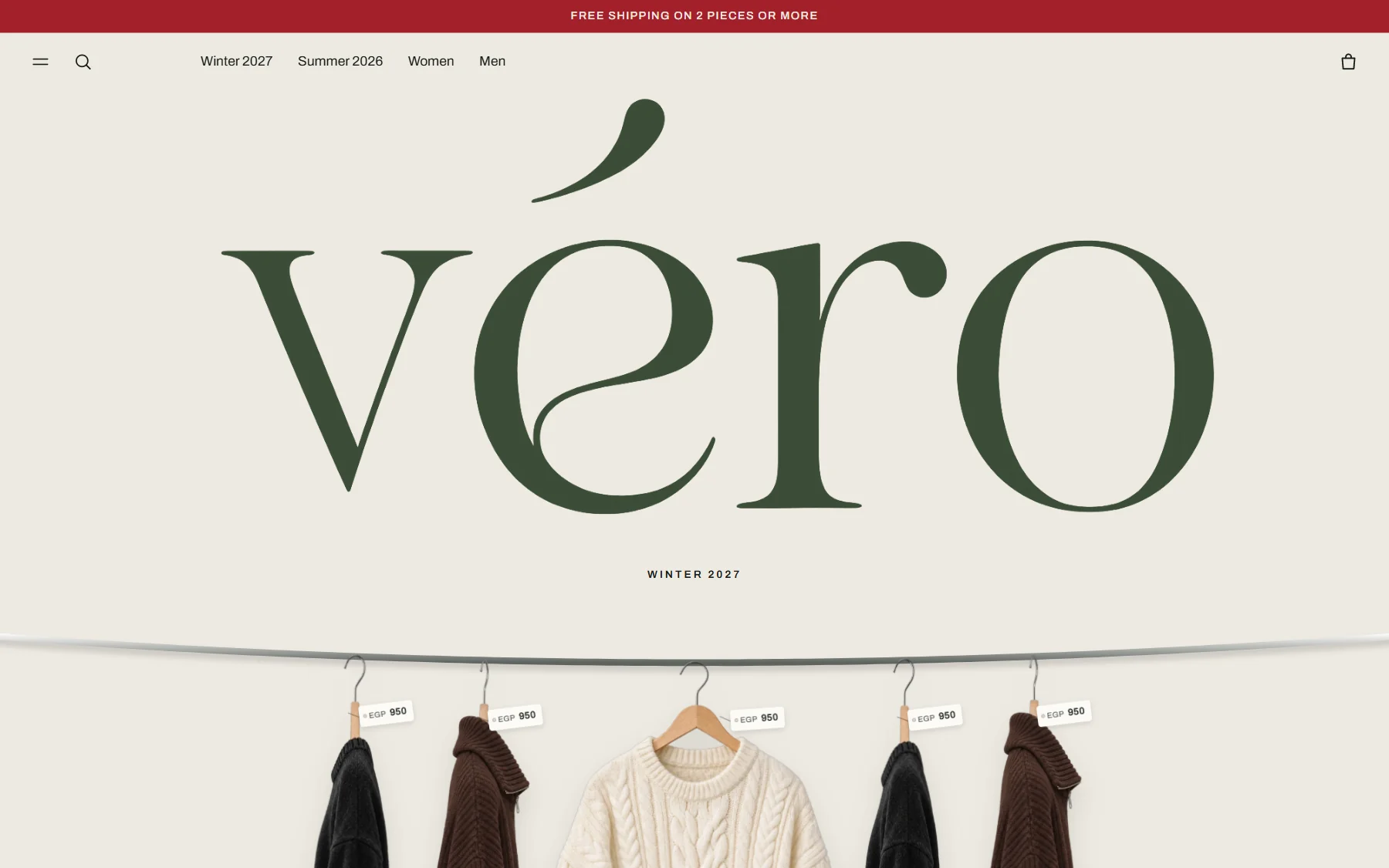
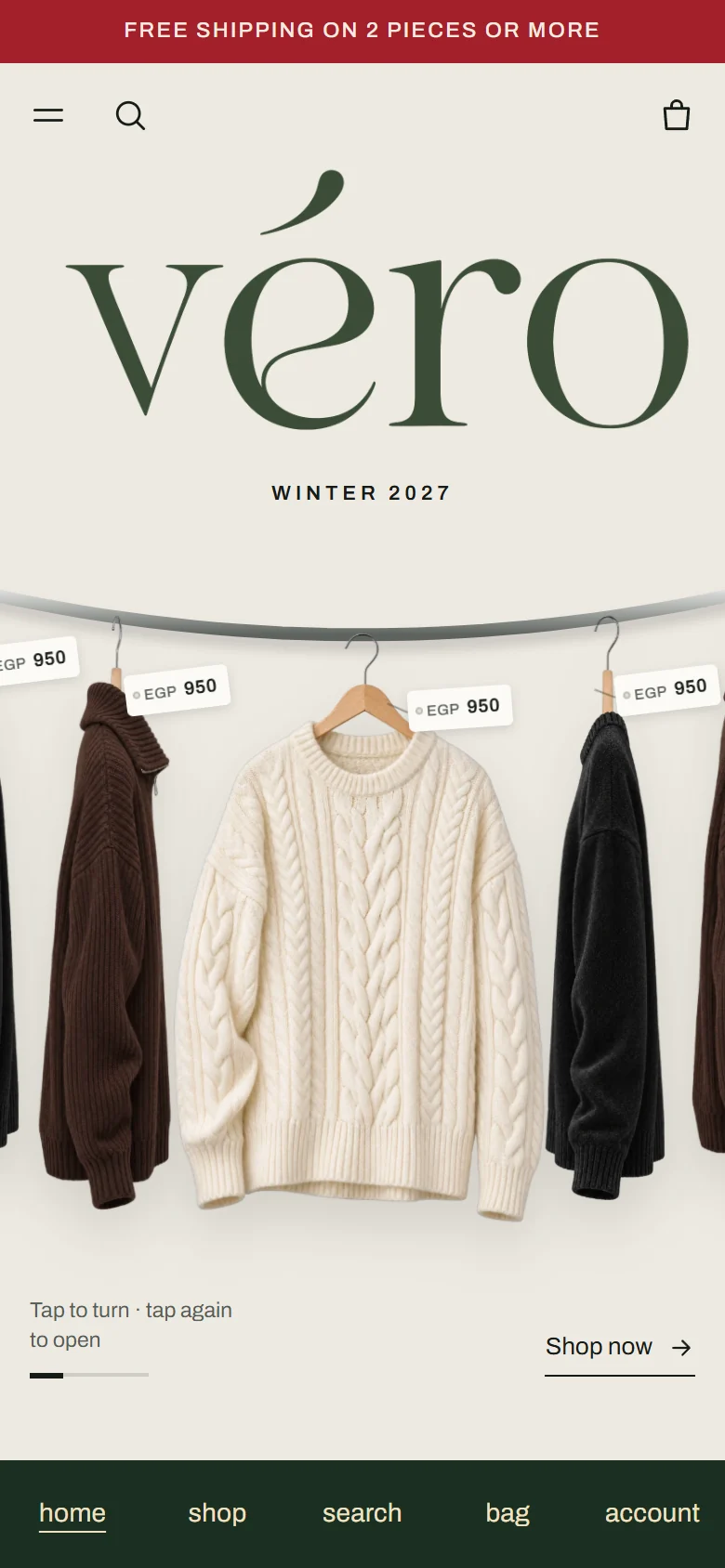
The theme on desktop and on a phone, captured on 10 November 2026 from my test copy of the store.
- Role
- UX/UI, theme development, install and ongoing changes
- Category
- Knitwear · Egypt · women and men
- Platform
- WordPress · WooCommerce · Store API
- Live
- véro.com ↗
A store the owner can run without calling a developer.
The first version put the price, the size and the bag on the first screen. Then the requests came in a few days: the homepage should feel like walking past a rail, the red of the brand should lead, delivery should cost 80 in Cairo, Giza and Alexandria and 125 everywhere else, and the owner should change photos, words and colours himself.
Everything ships as one classic PHP theme with live product data, pushed to the store from my machine through a small signed deploy plugin.
What a phone visitor saw first.
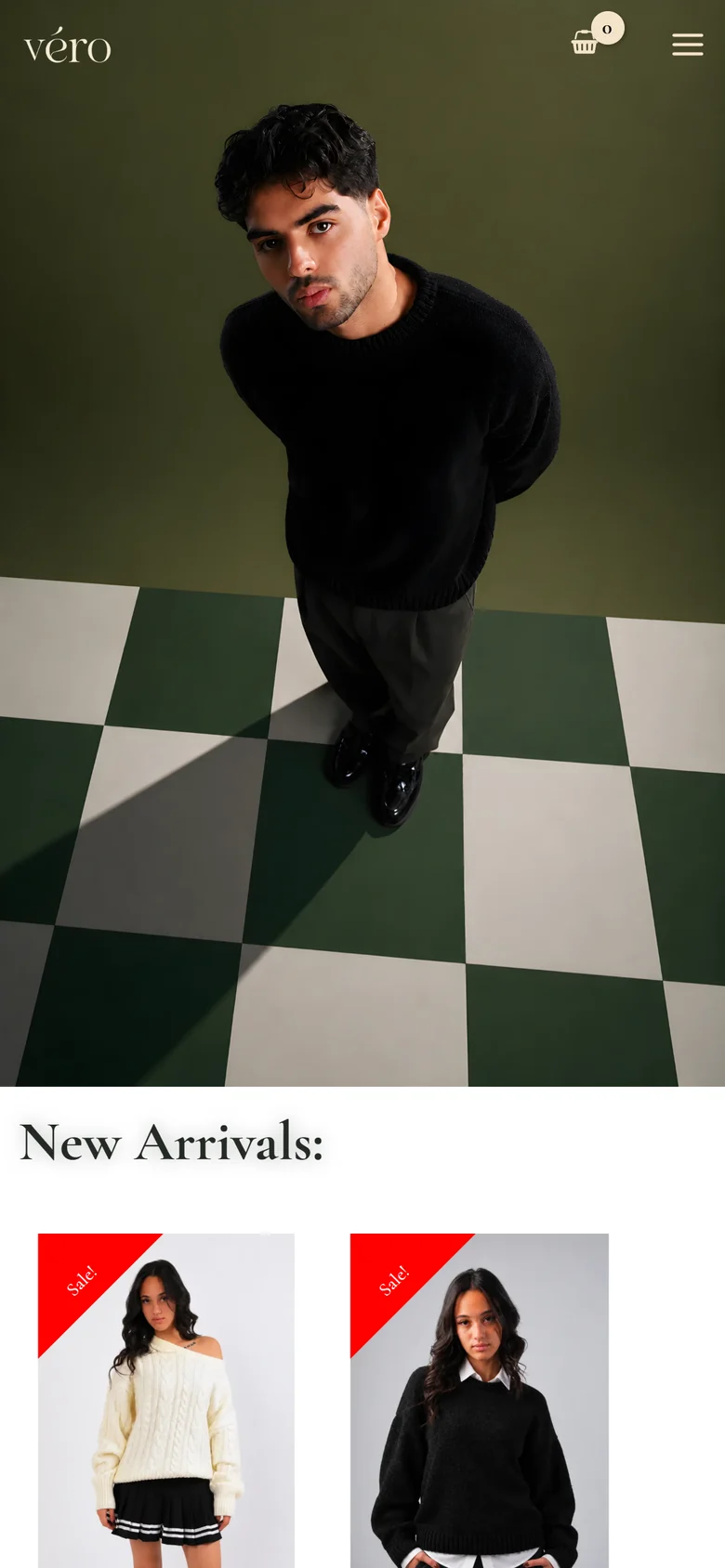
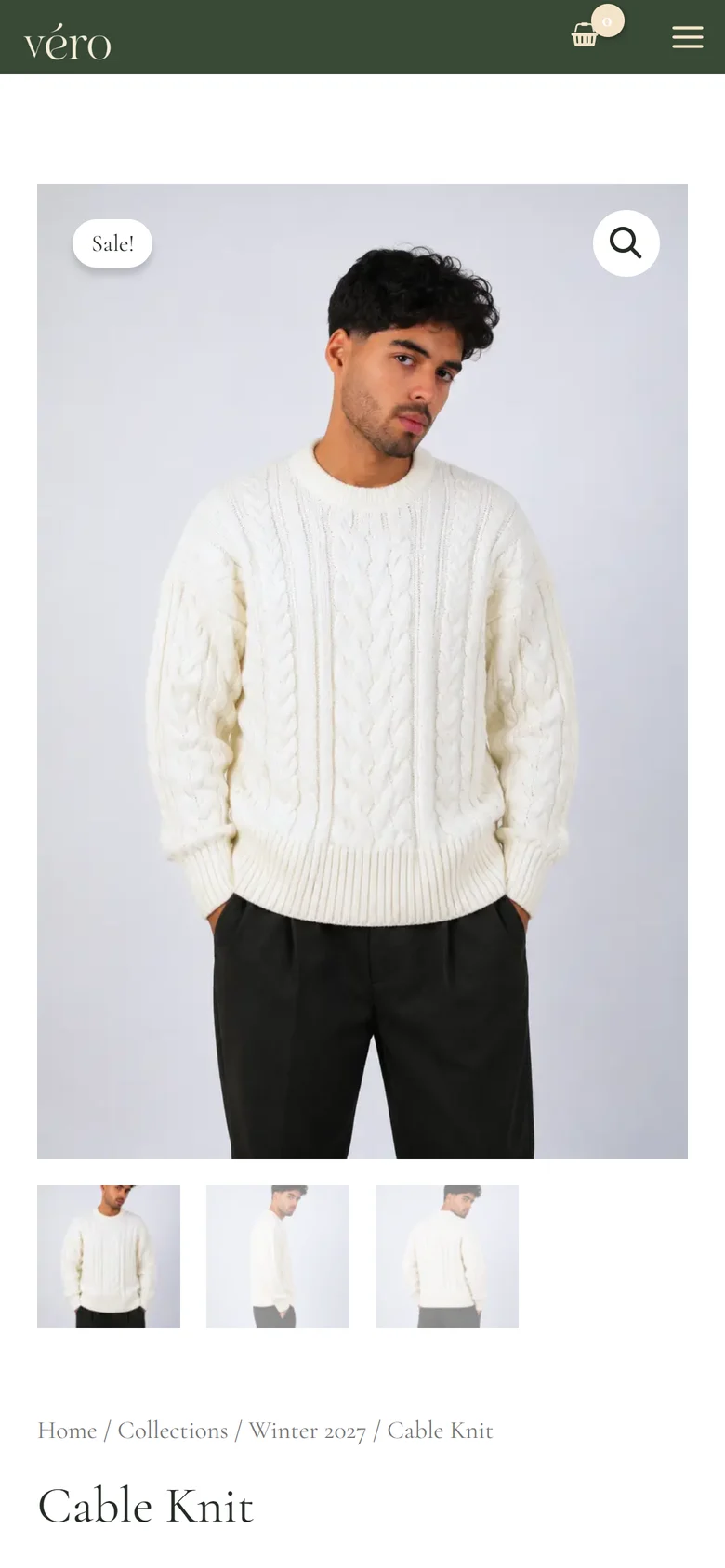
The old homepage opened on a full-bleed photo and a two-product slider. The product page showed a photo and a title above the fold; price, sizes and the size chart came after scrolling.
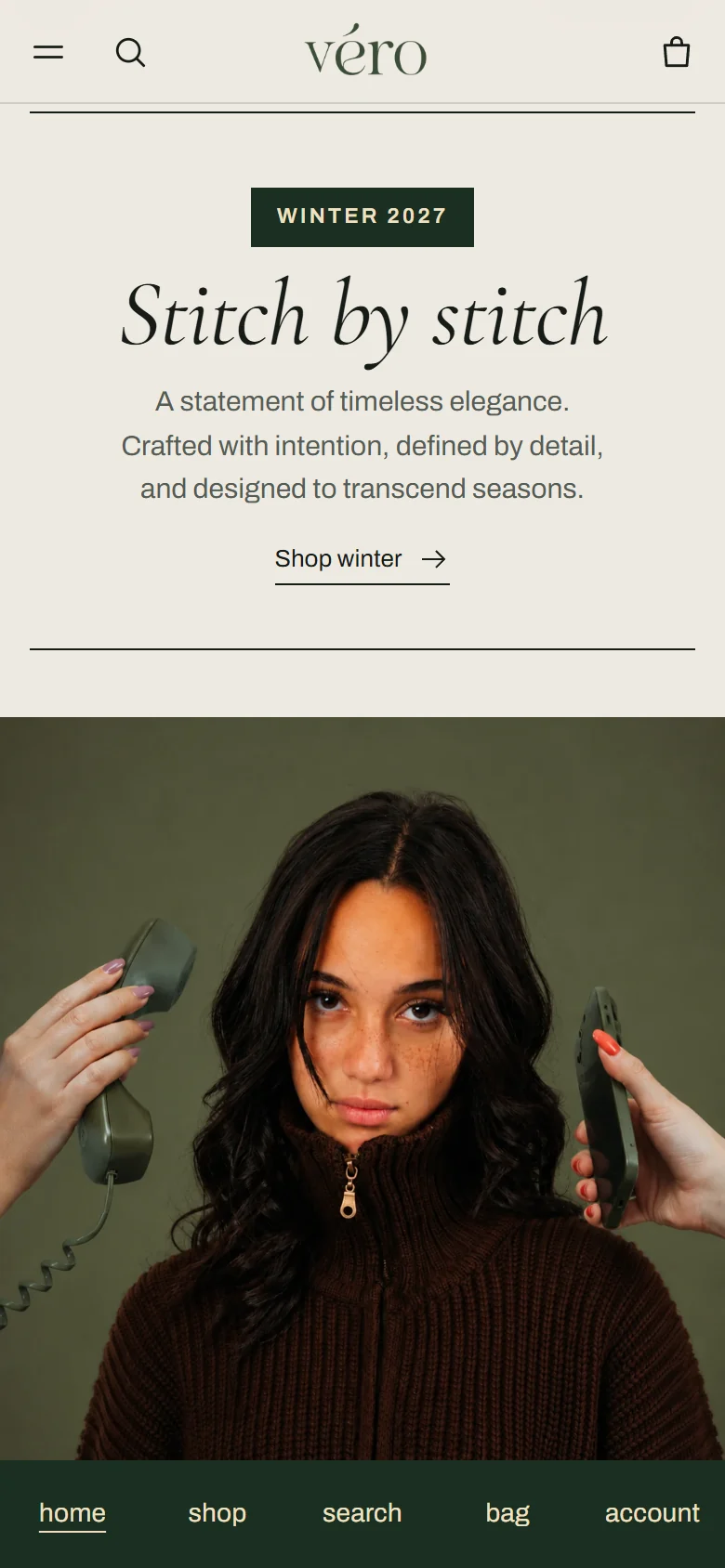
Walk past the rail, pick a piece off it.
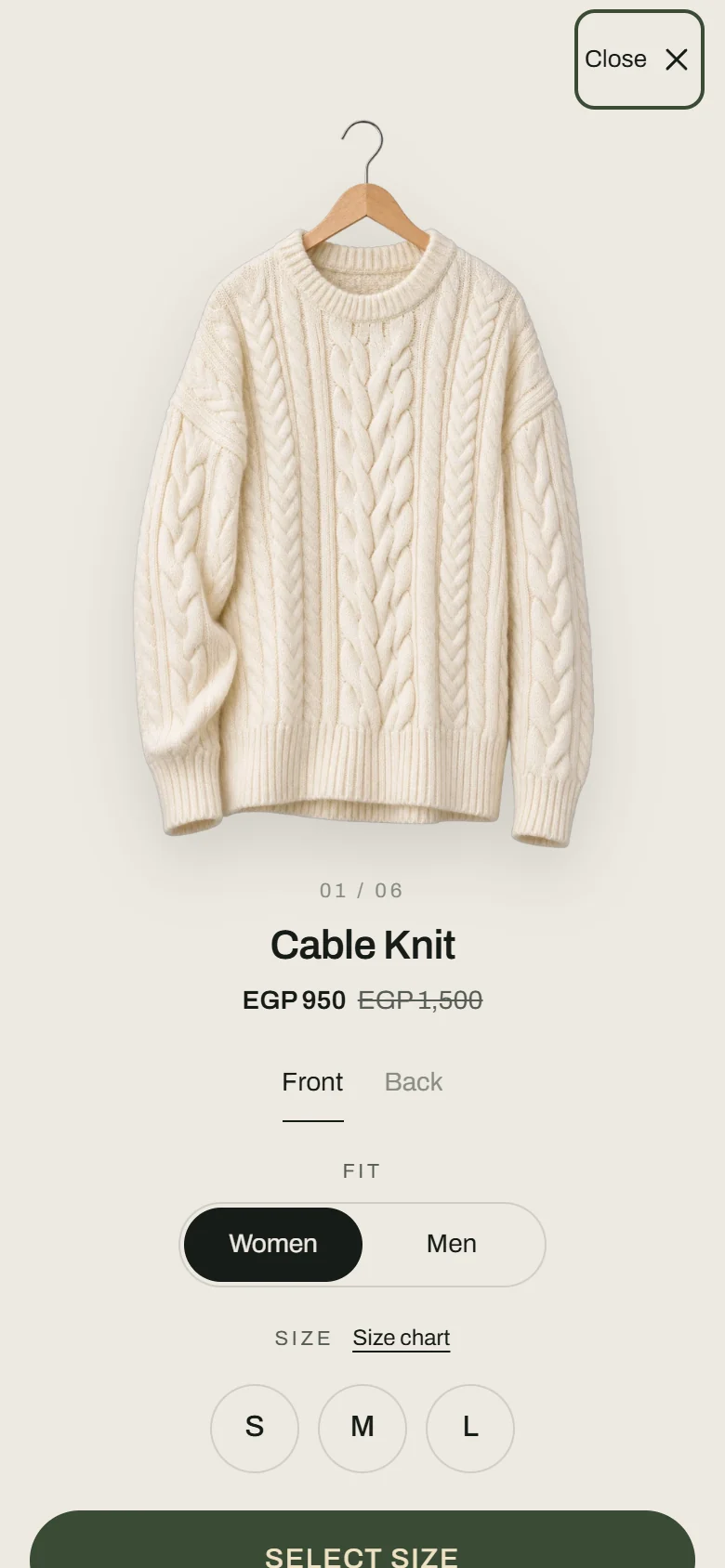
Under the wordmark the knits hang on a curved rod. A tap turns a piece to face you, a second tap opens it: front and back, women or men, the size, and the bag. New products join the rail as soon as the owner gives them hanger photos.
The brand’s own shoot, linked to the pieces.
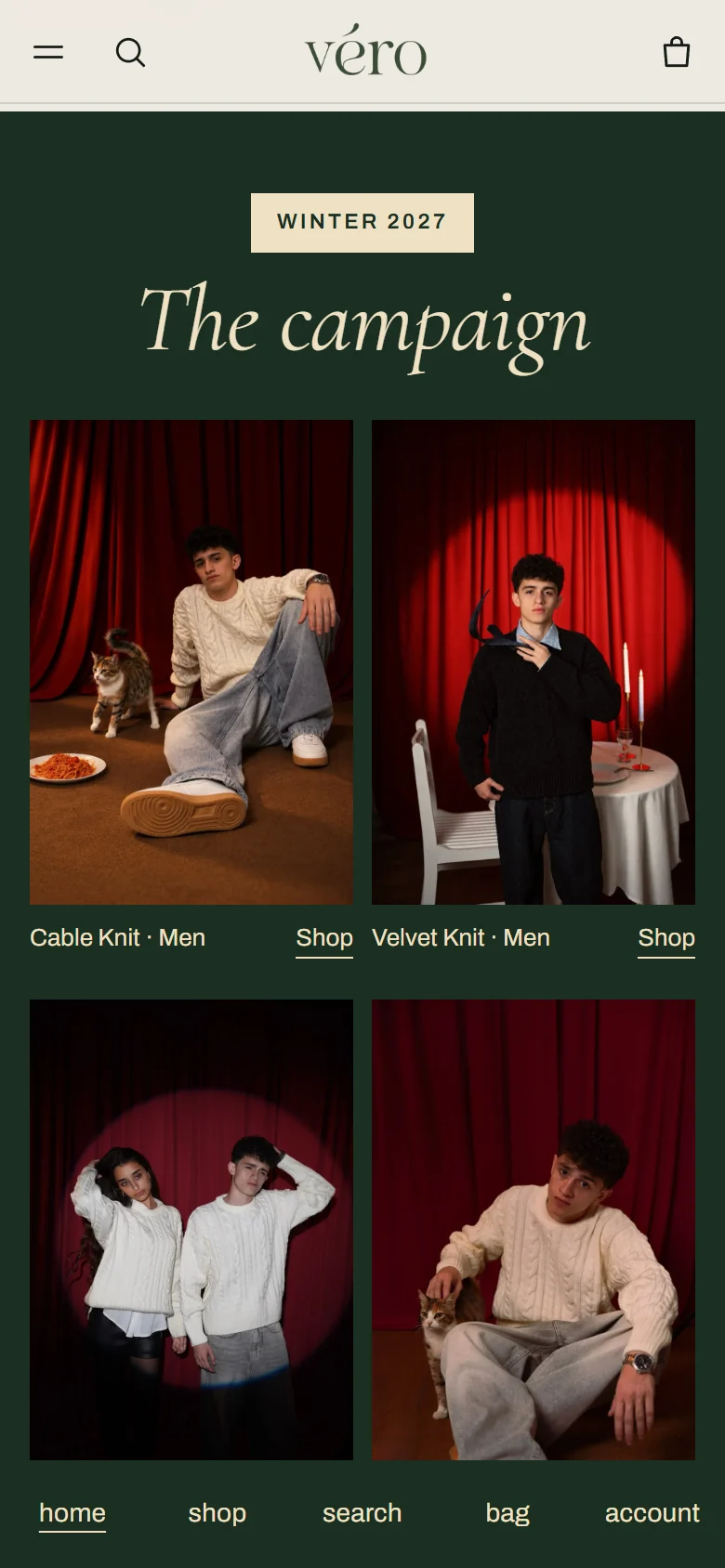
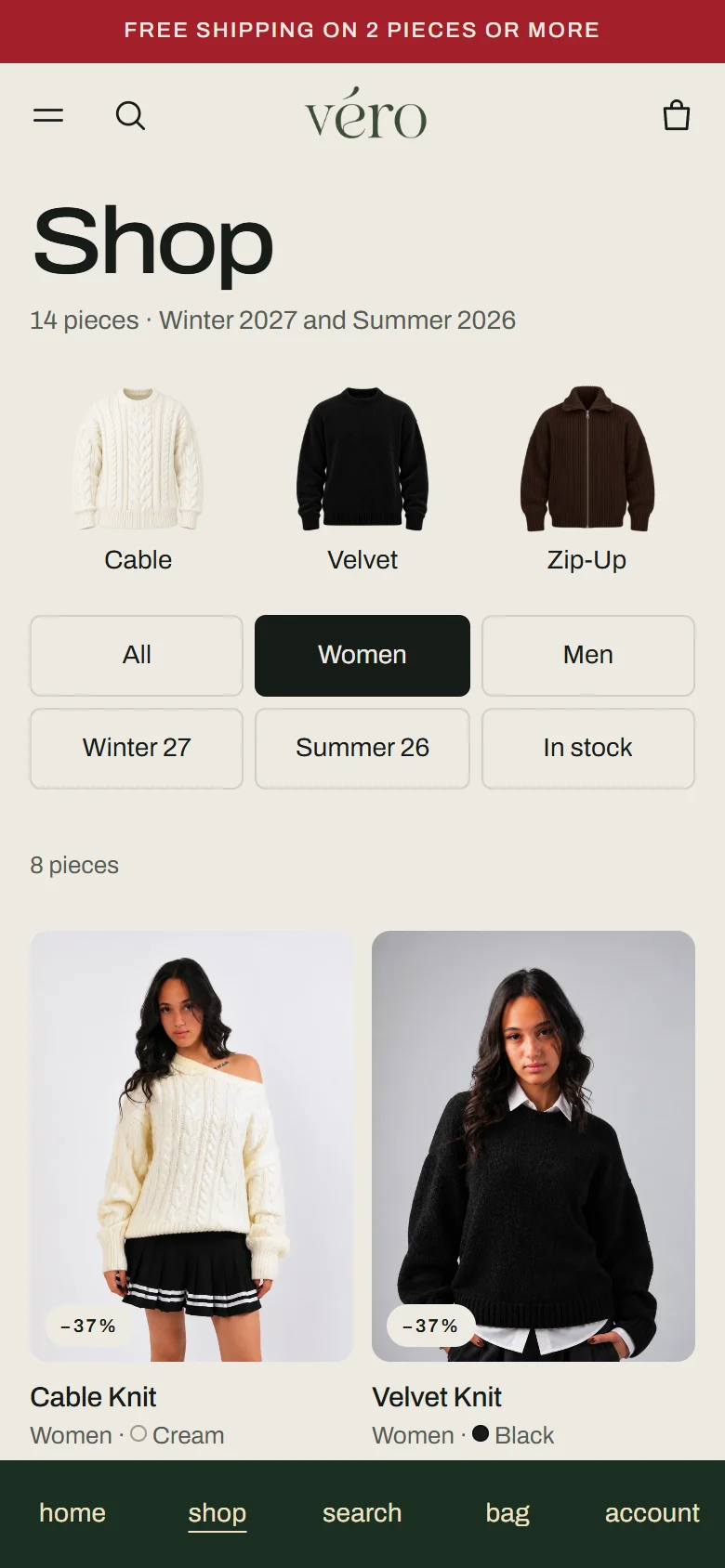
The red-curtain campaign photos sit on deep green, each one opening the product in the picture. The shop filters by women, men, knit and season from the header or the page, and the links in the header filter it too.
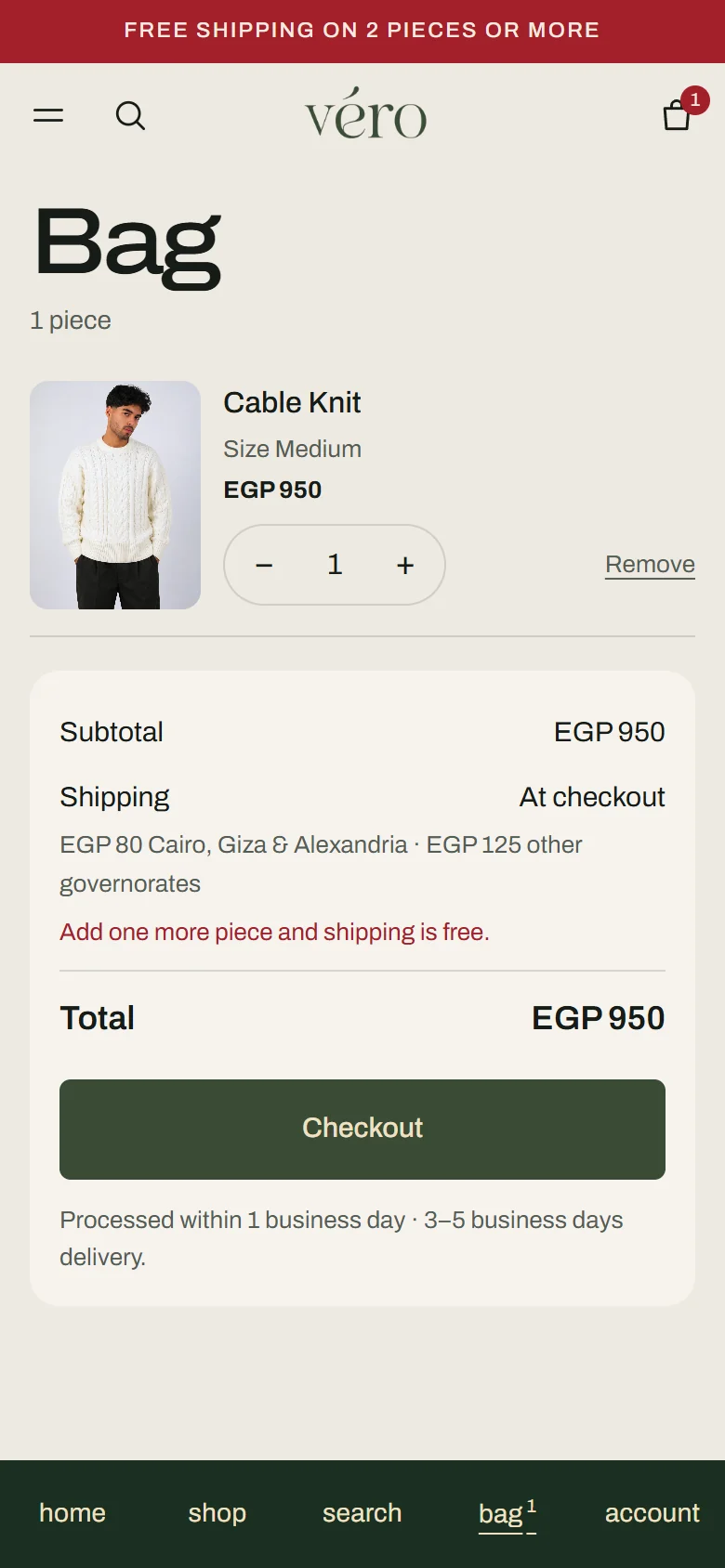
One red button that knows what comes next.
The name, the red price under the photo, the thumbnails and a short facts table. SELECT SIZE opens that product’s own size chart; once a size is picked the same button reads ADD TO BAG · M. At checkout the delivery price follows the governorate as soon as it is chosen.
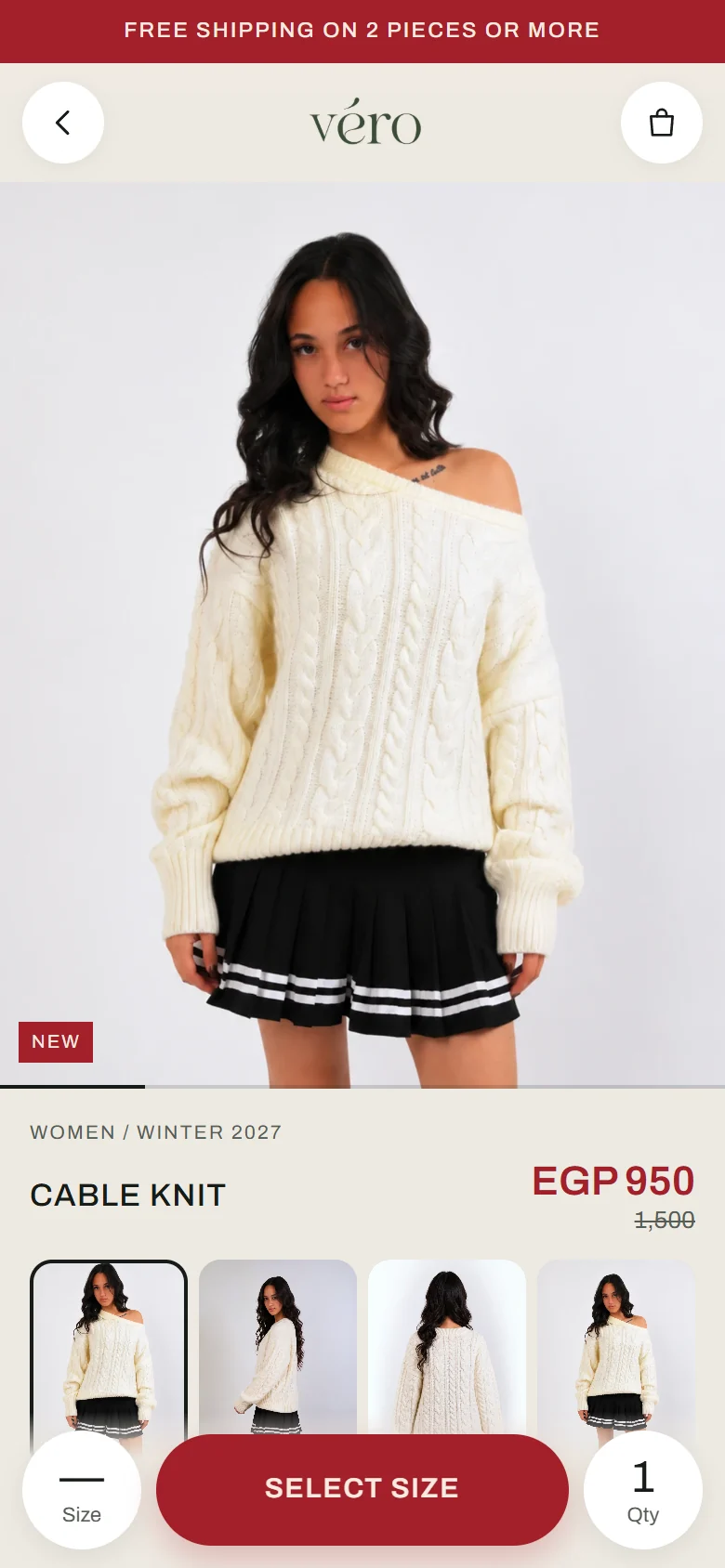
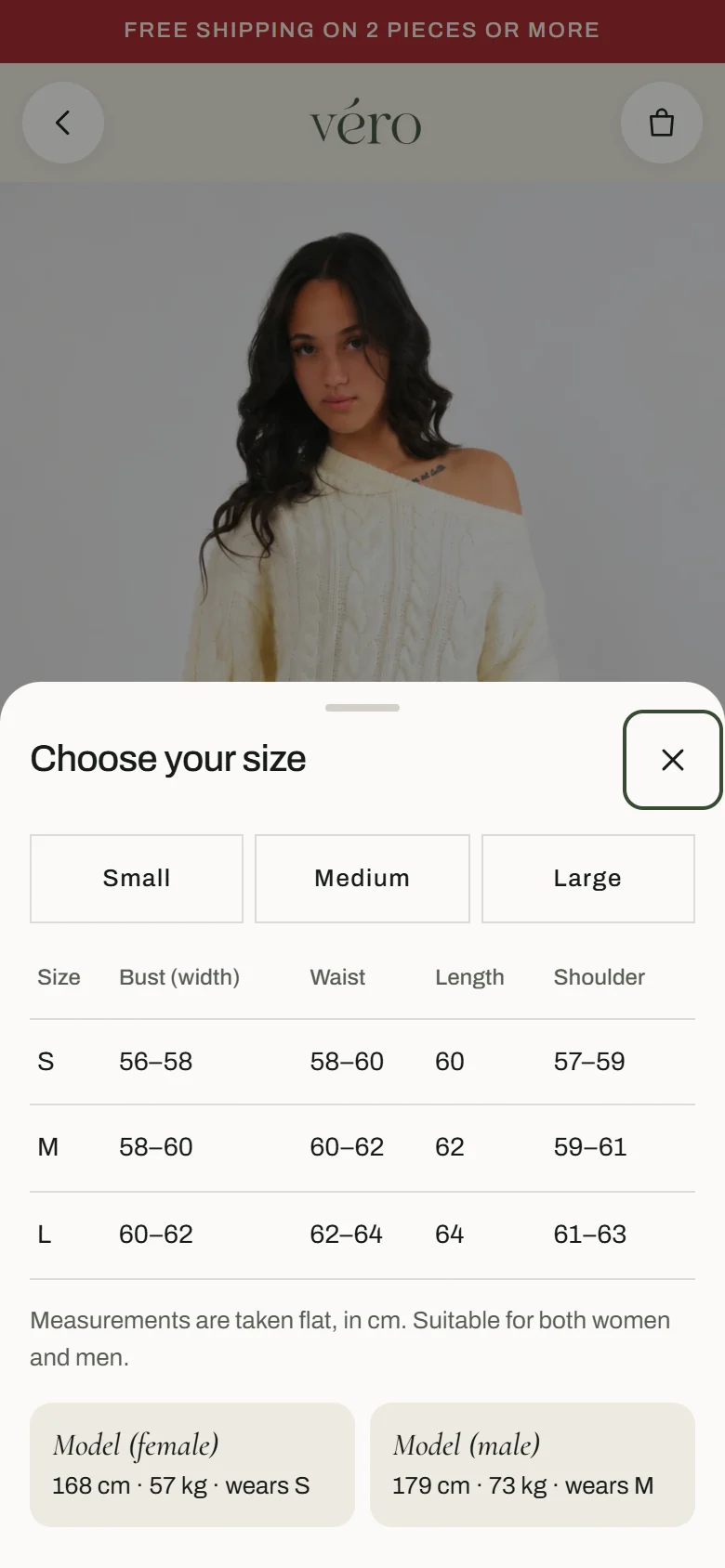
WordPress that looks like the Shopify he knows.
A calmer admin skin: today’s sales, orders to fulfil, the last 30 days and sold-out pieces on the home screen, with four big buttons for what he does most. Orders, Online store and Analytics sit at the top of the menu. Any admin can switch back to the classic look from the footer.
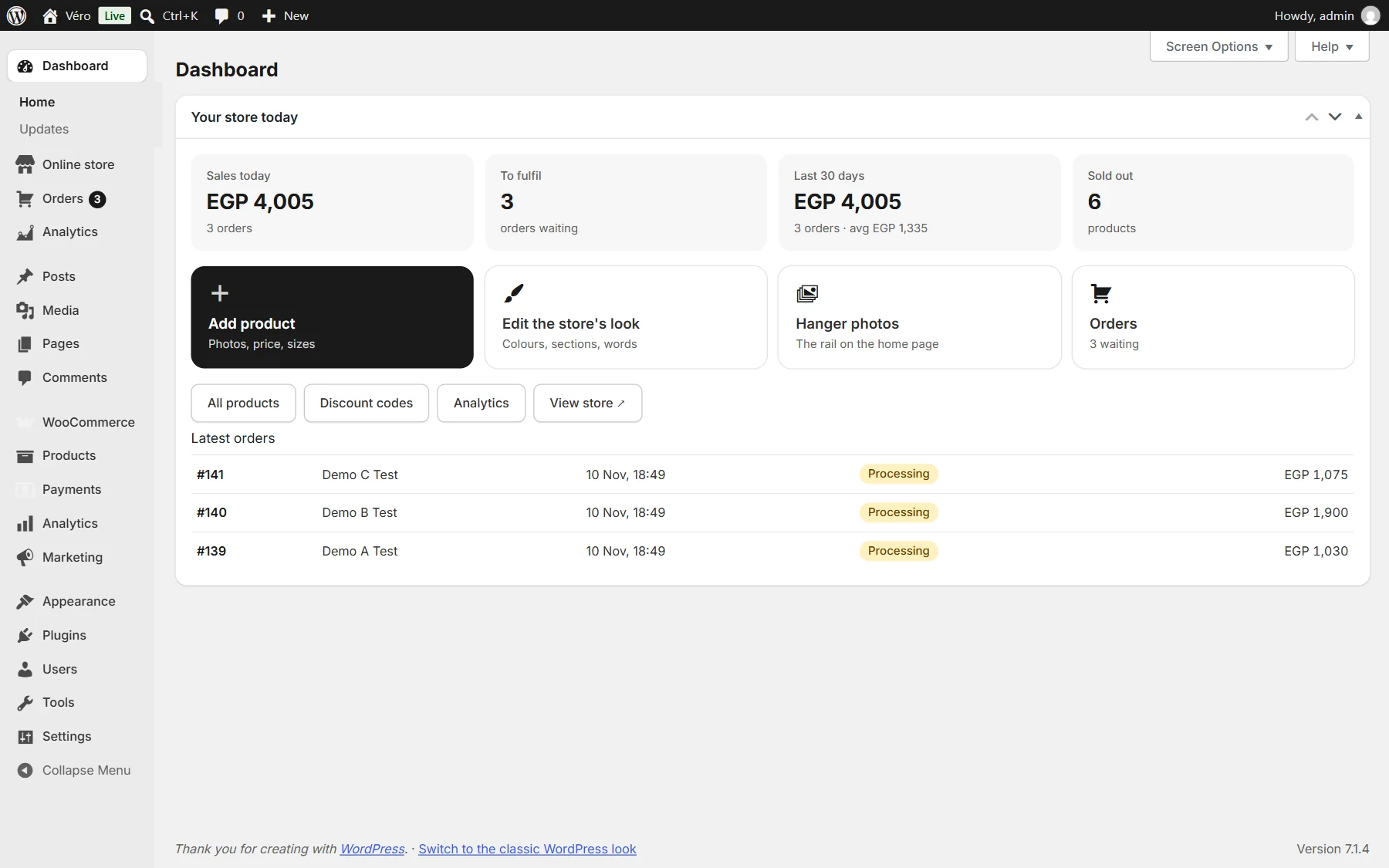
Every setting one click from one page.
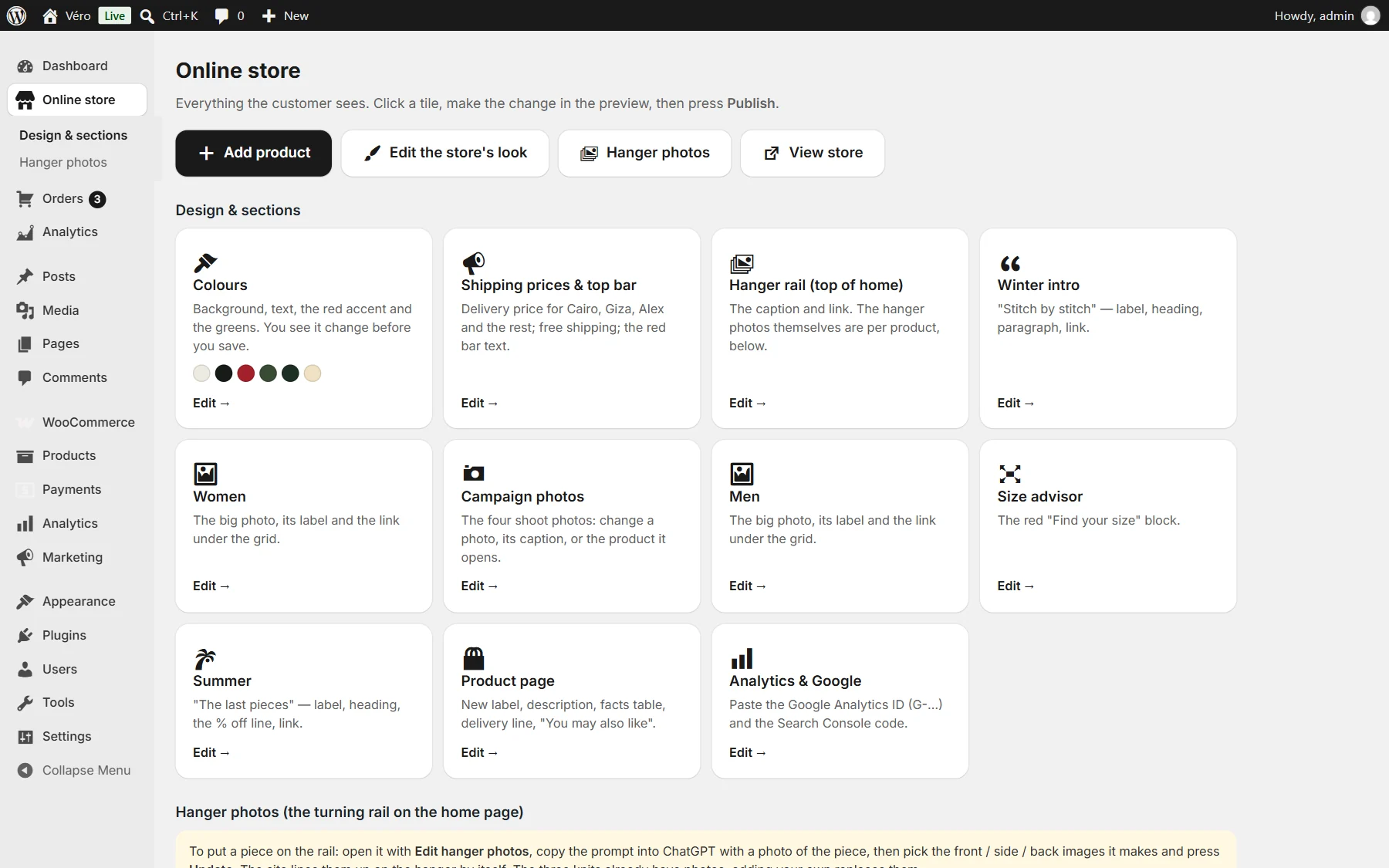
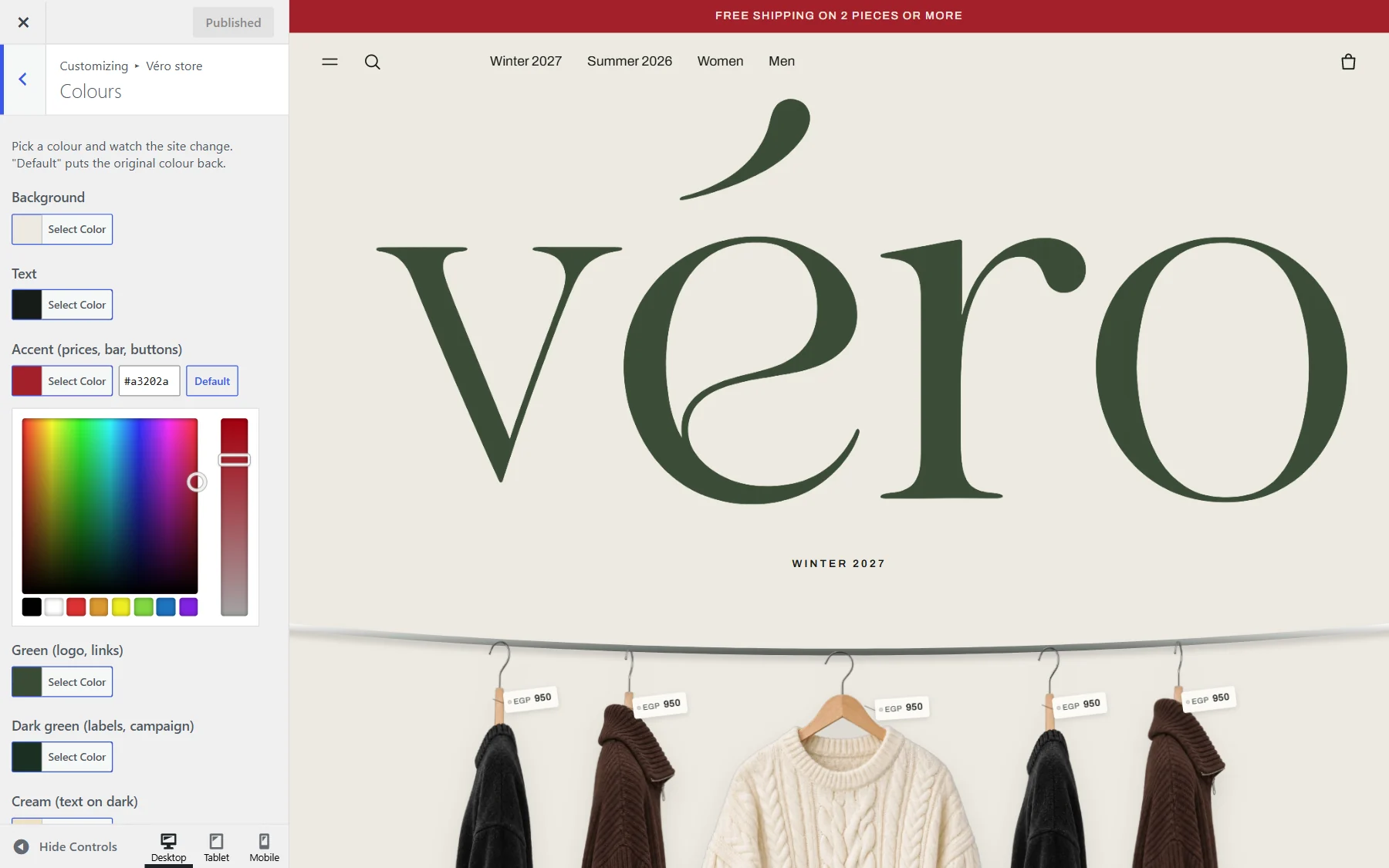
The Online store page opens each part of the store in the Customizer with a live preview: colours, the top bar and delivery prices, every homepage section with its own show or hide and its own words, the campaign photos and the product page. Below it a table shows which products have hanger photos.
New piece on the rail without Photoshop.
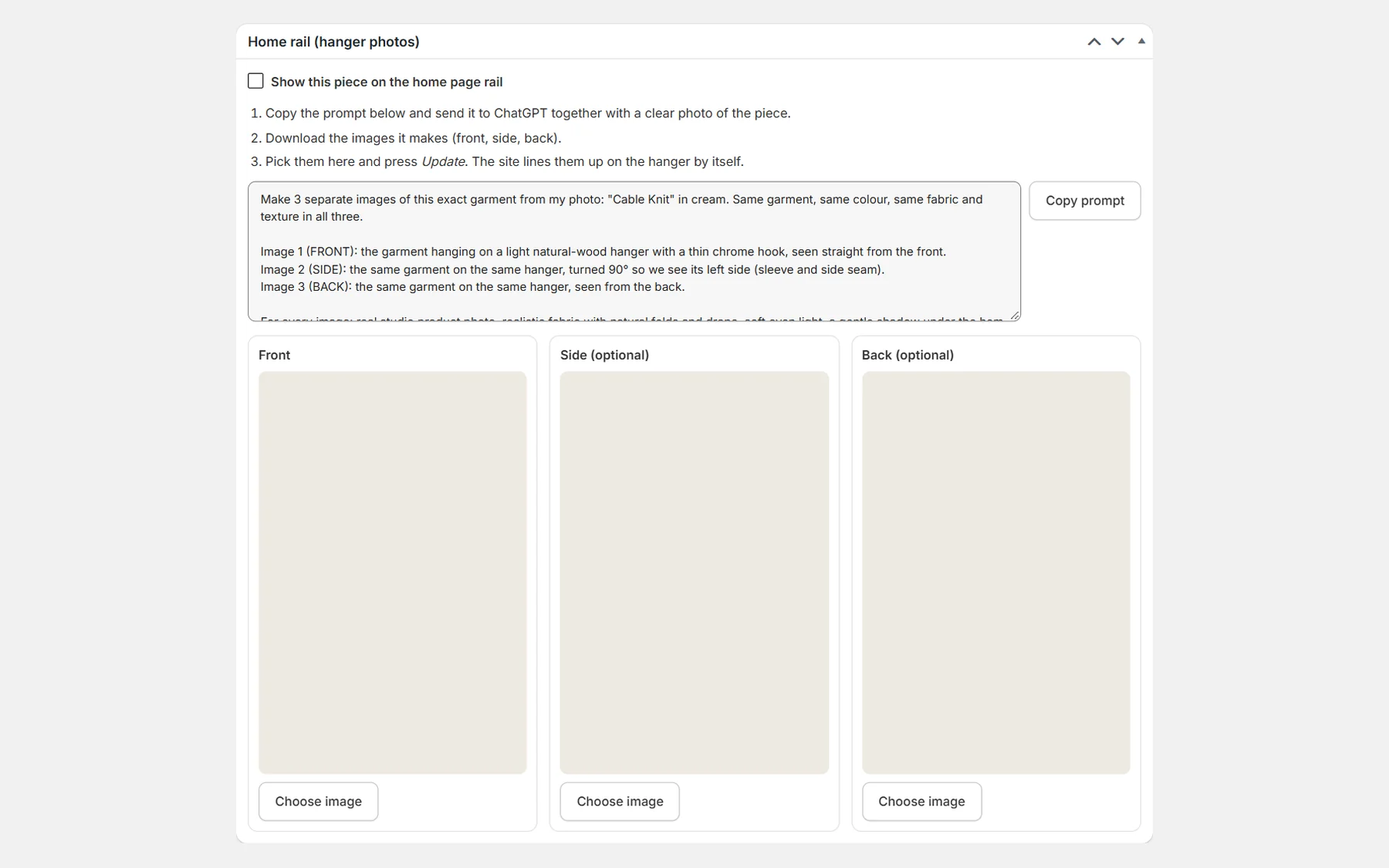
Each product has a Home rail box with a ready ChatGPT prompt naming that product and its colour. He uploads the three photos it returns; on save the theme clears a plain background, scales the piece to the rail’s size and lines its hook up with the others.
Visits, sources and sales inside WordPress.
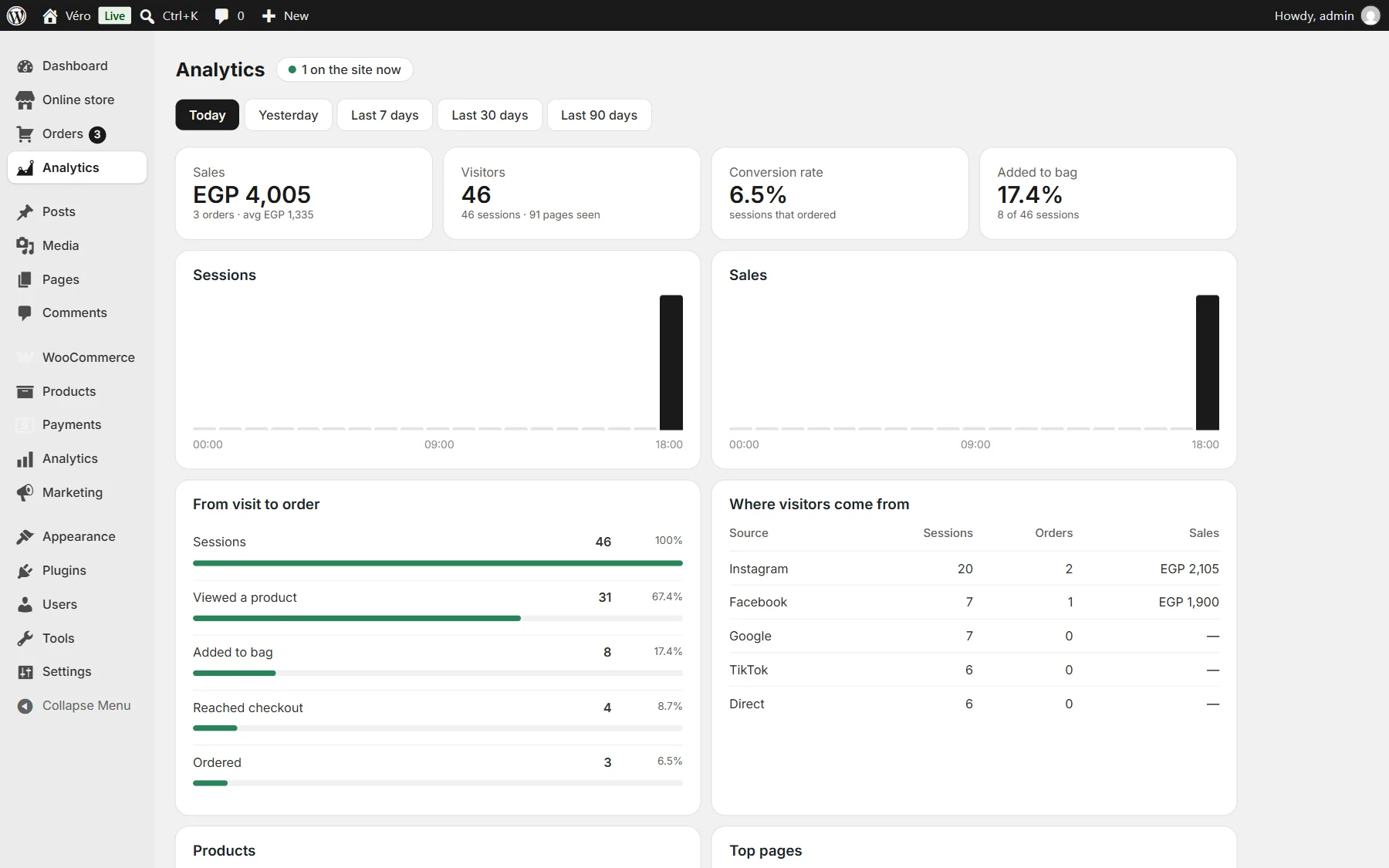
The owner did not want Google tags, so the theme counts visits itself: one small beacon per page, no cookies and no IP stored. The report shows who is on the site now, visitors and sessions, the steps from visit to order, where visitors came from with the orders and sales each source brought, and the products people look at, add and buy. Money comes from WooCommerce orders.
After launch
The site felt slow on 4G: a preloader plugin covered every page until the last image had loaded. On the theme’s pages it is now skipped, and the emoji scripts are gone everywhere.
Shipping is 80 in Cairo, Giza and Alexandria and 125 in every other governorate, with free delivery from two pieces; the owner sets the three numbers himself. The bag no longer shows a guessed price before the address, and the checkout header carries the brand green.
Product pages got their own titles, descriptions and share cards, built from the product’s style, gender and colour.
Honest scope
- Client project, installed and live on the Véro store
- Checkout still runs on the store’s CartFlows template; I styled its header and fixed its fields and shipping
- The hanger photos on the rail are AI images made from the brand’s pieces; the campaign photos are the brand’s own shoot
- Dashboard and analytics screenshots come from my test copy of the store with demo data, not the client’s numbers
- 38 → 16 is the count of loaded files on a theme page on install day; no speed, conversion or revenue figure is claimed