Qayd
A Saudi retailer sells on Salla and Shopify and keeps its books in Wafeq. I built the system that turns every order into the right invoice, payment or credit note, and a panel that shows the owner and the accountant where each order stands.
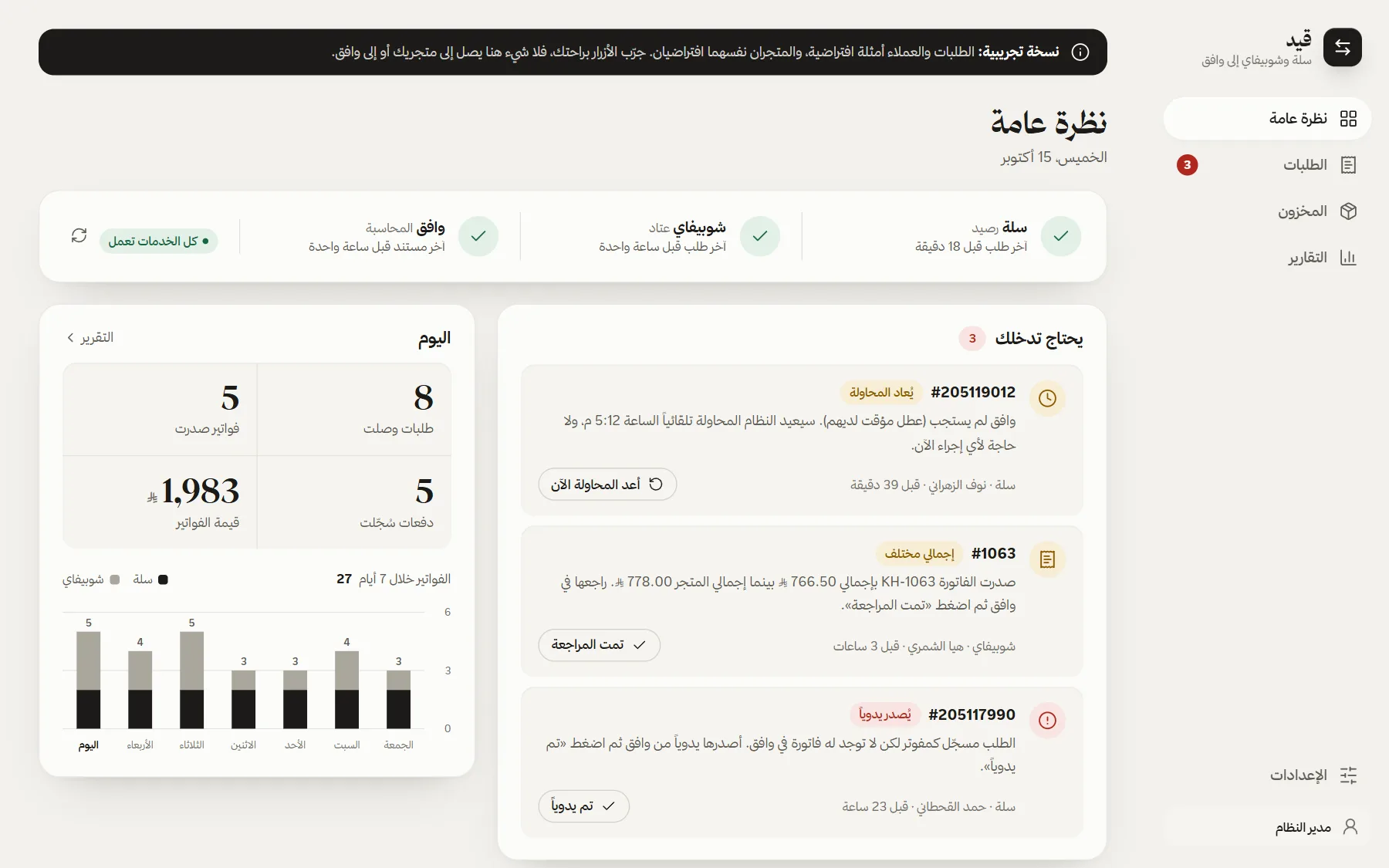

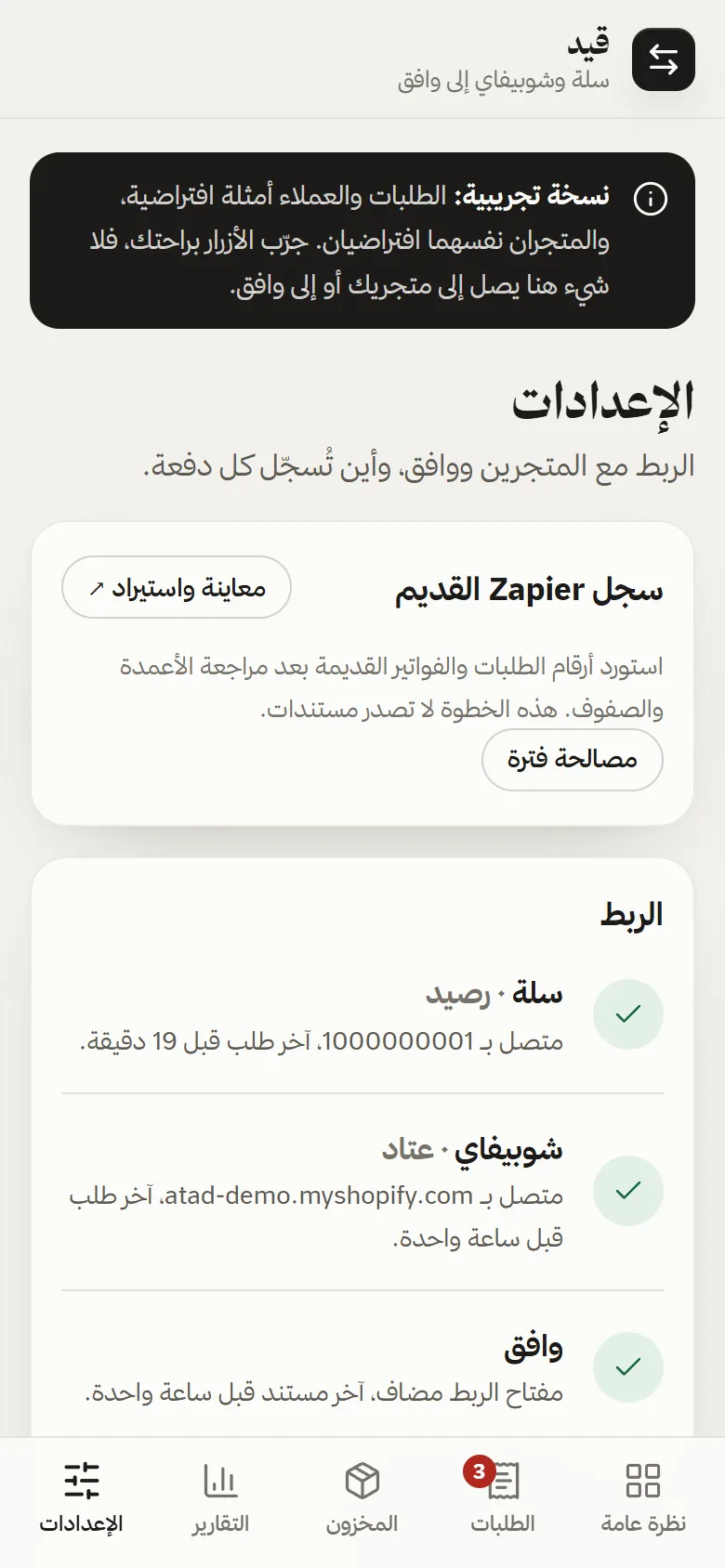
Captured from the live demo: fictional stores, invented customers and sample orders that reset every few hours.
- Role
- System design, backend and panel
- Stack
- Cloudflare Workers · D1 · Salla, Shopify and Wafeq APIs
- Scope
- Invoices, payments, credit notes, stock matching, reports, alerts
Every order becomes the right accounting document. Nobody retypes it.
Each store order has to become a tax invoice in Wafeq, reported to ZATCA, and a payment on the right account: mada, Tabby, Tamara and cash on delivery each settle somewhere different. A cancellation needs a credit note against the original invoice. Done by hand, every order is typed twice and checked three times.
I first automated this with Zapier code steps, and that version runs in production. This system is the next step: the same rules on a Cloudflare Worker with its own database, plus a panel in Arabic that answers the accountant’s daily question: did this order reach Wafeq, and where did the money go?
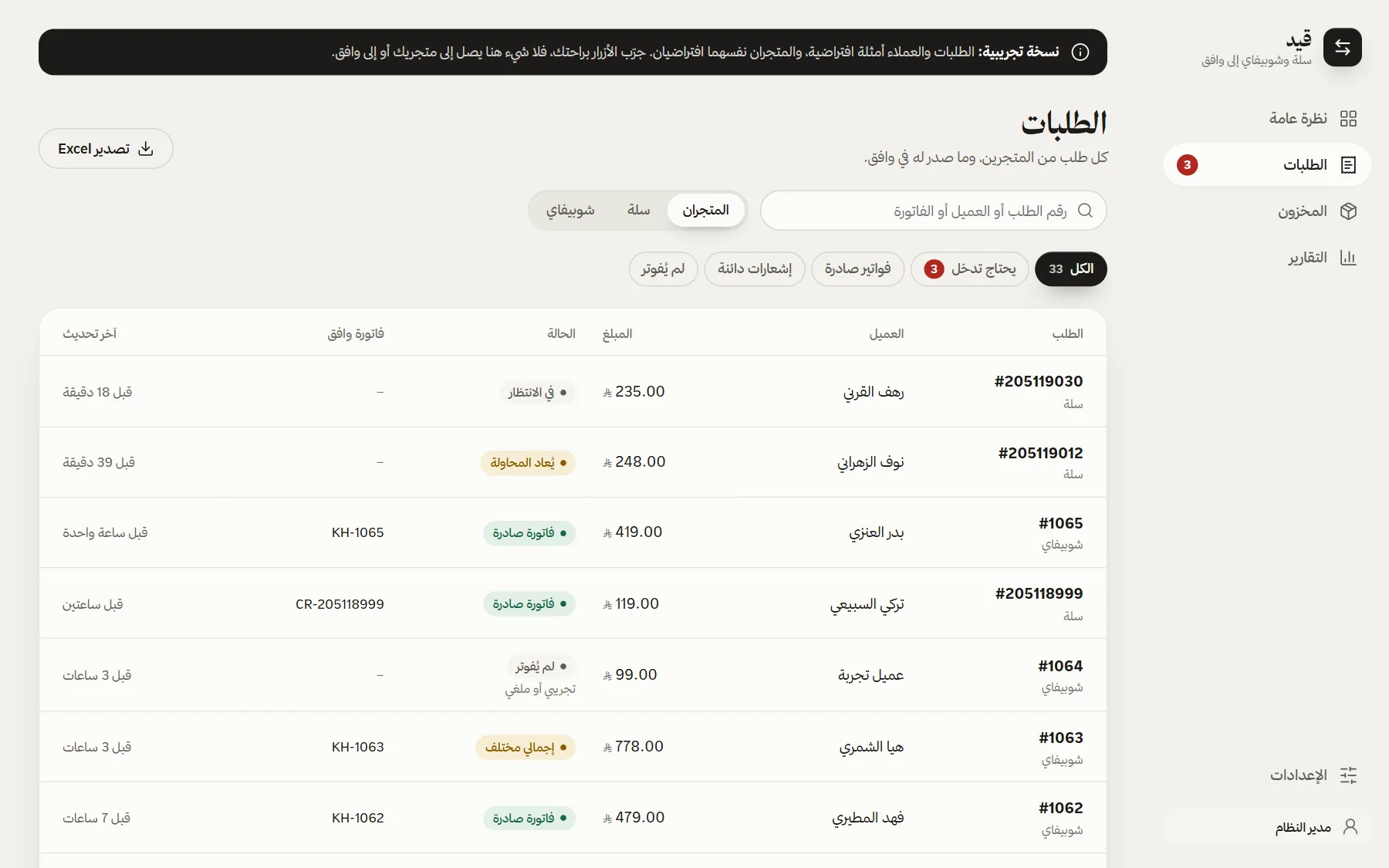
Every order, beside what it became in Wafeq.
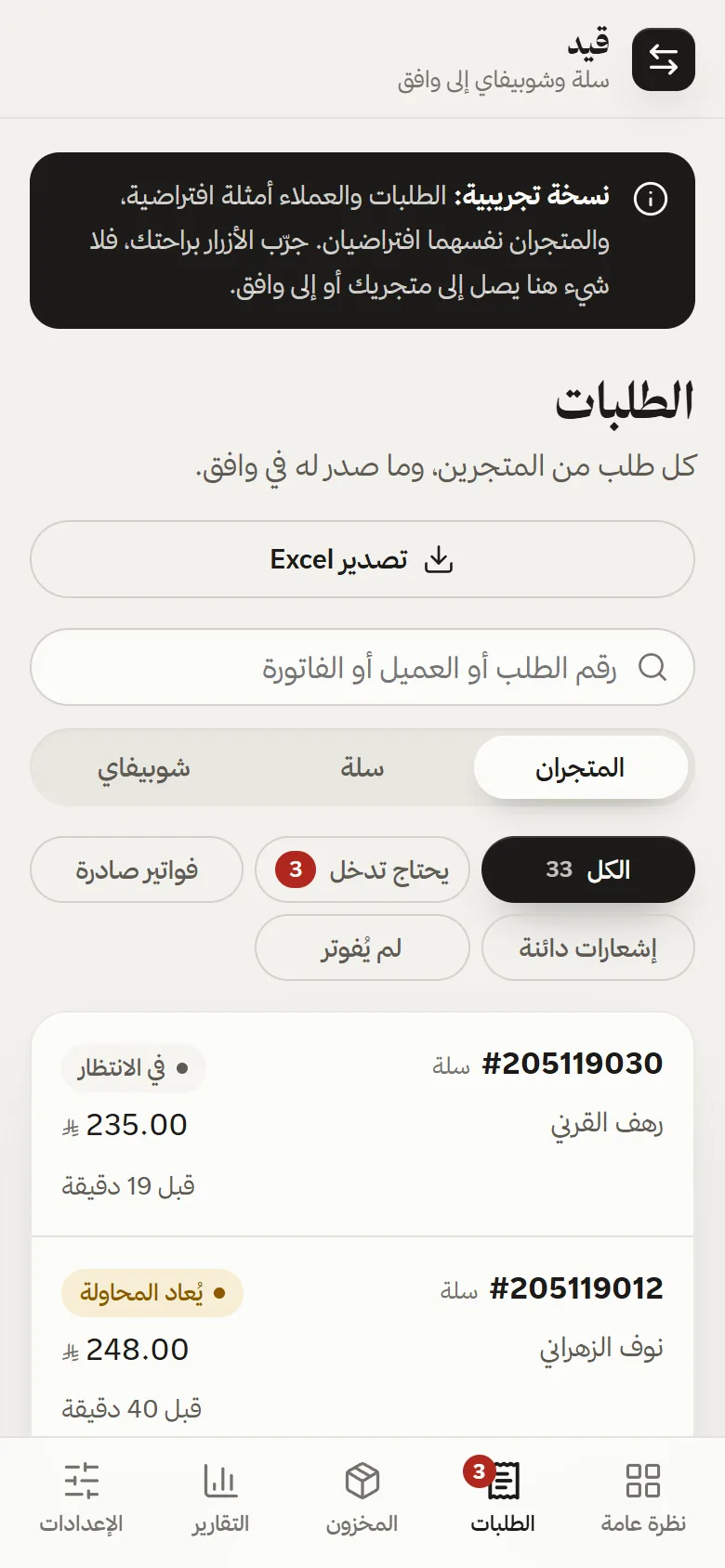
Orders from both stores in one list, with the invoice number next to each. Search by order, customer or invoice; filter by store and state. On a phone, table rows become cards.
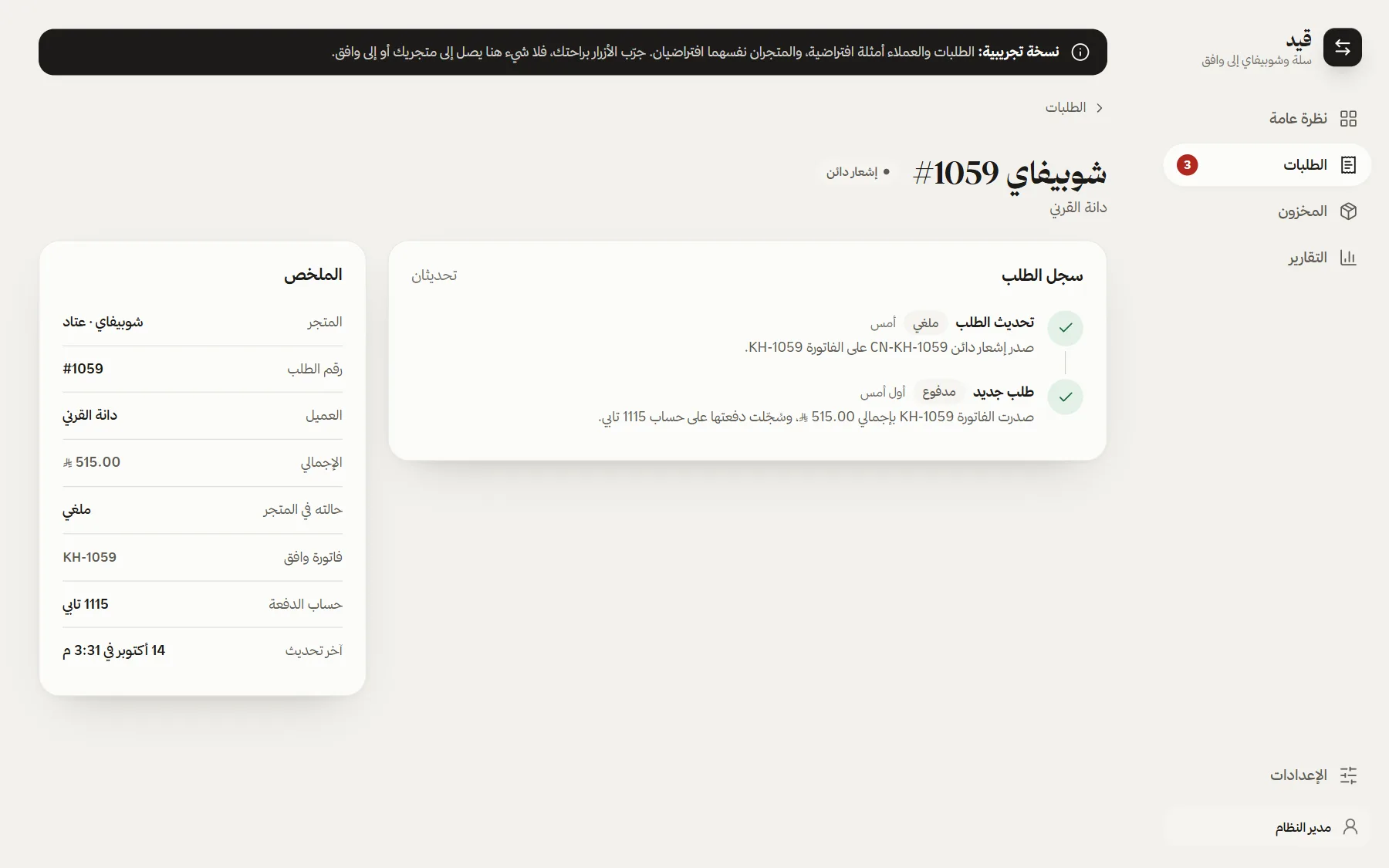
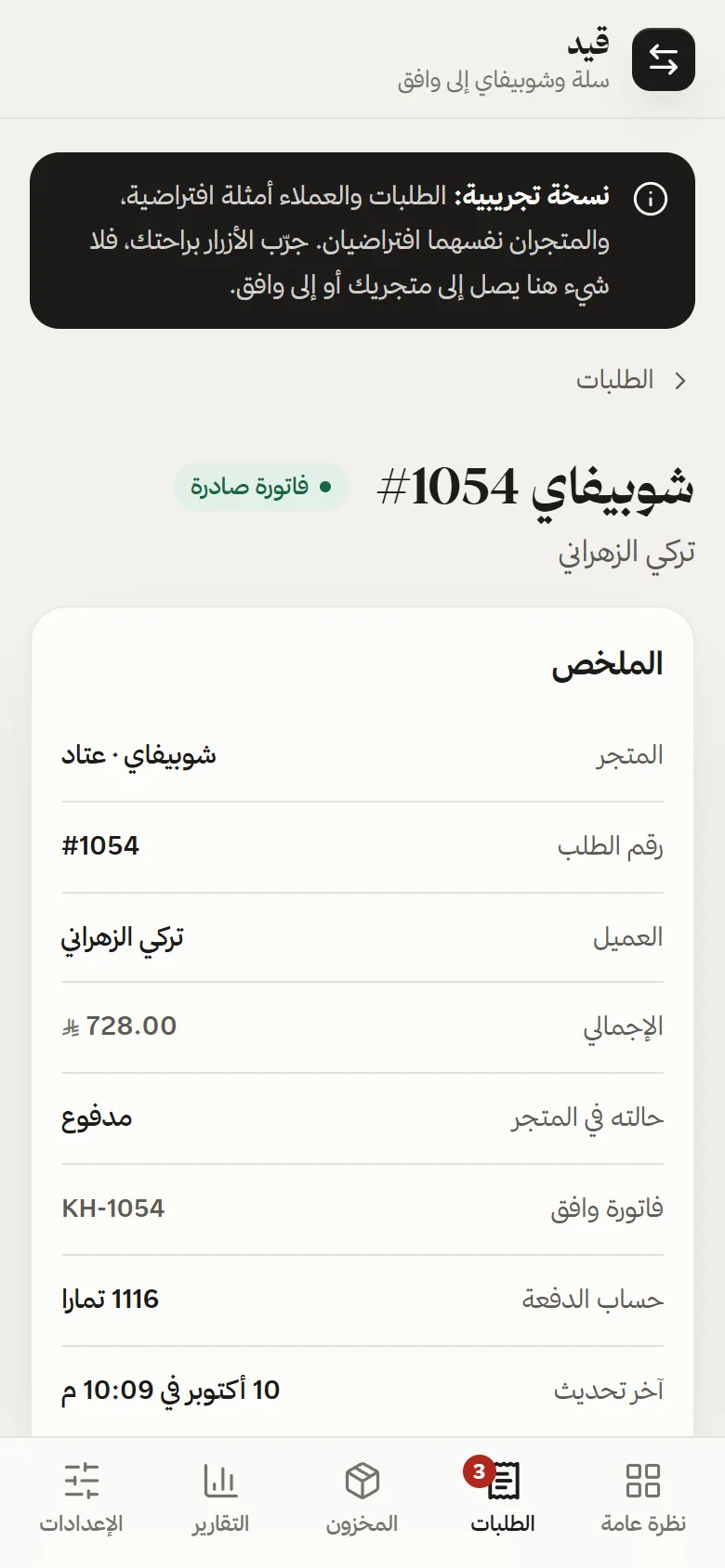
Each order tells its own story.
An order page shows what happened and when: received, invoiced, paid into which account, cancelled and credited. The accountant can see why a payment landed on Tamara’s account and not the bank’s.
Problems arrive as a short to-do list.
When Wafeq does not answer, the Worker tries again after 5, 15, 60 and 360 minutes. What needs a person, such as a total that differs from the store or an order invoiced by hand, waits on the overview with one button to clear it, and reaches the team on Telegram.
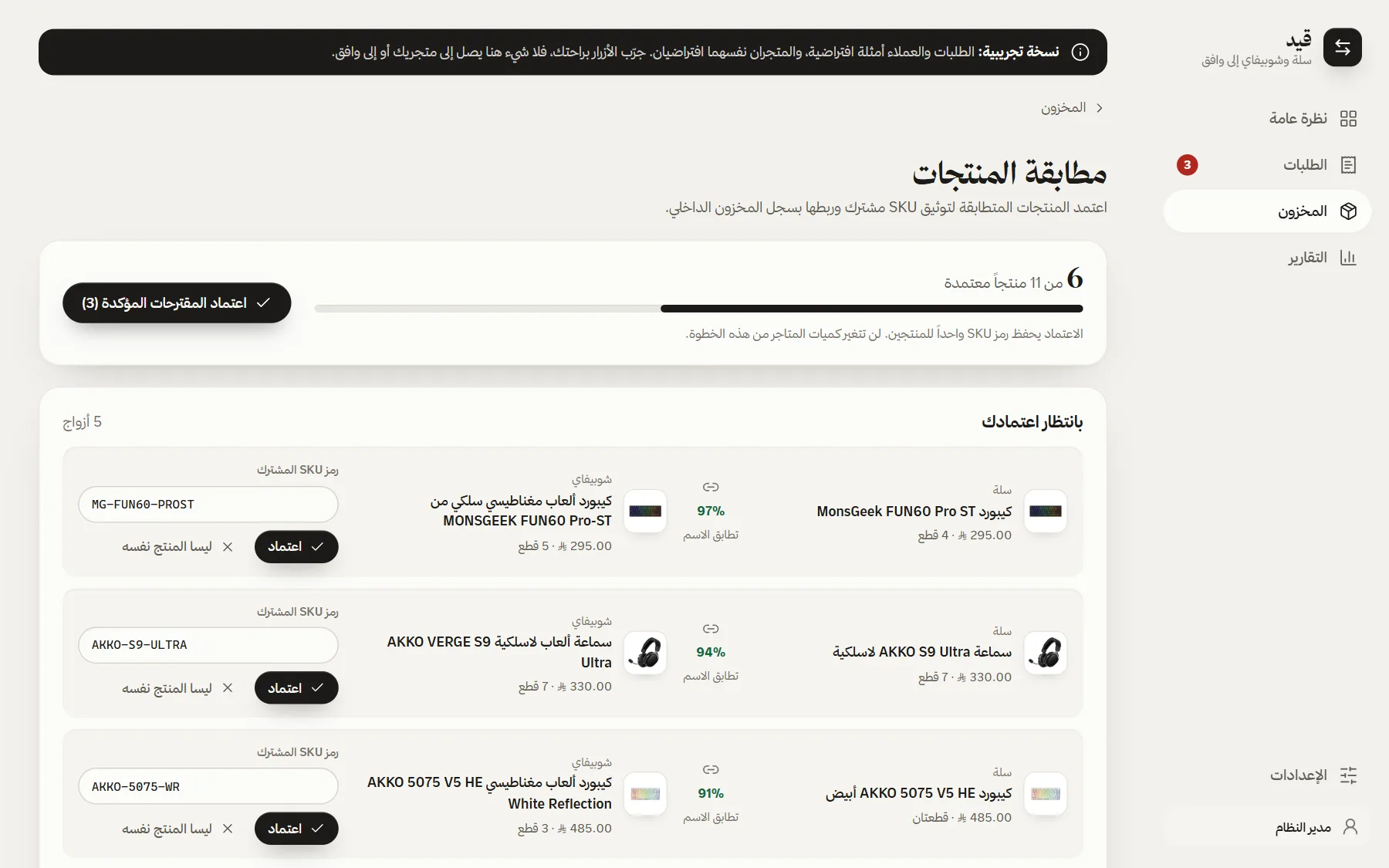
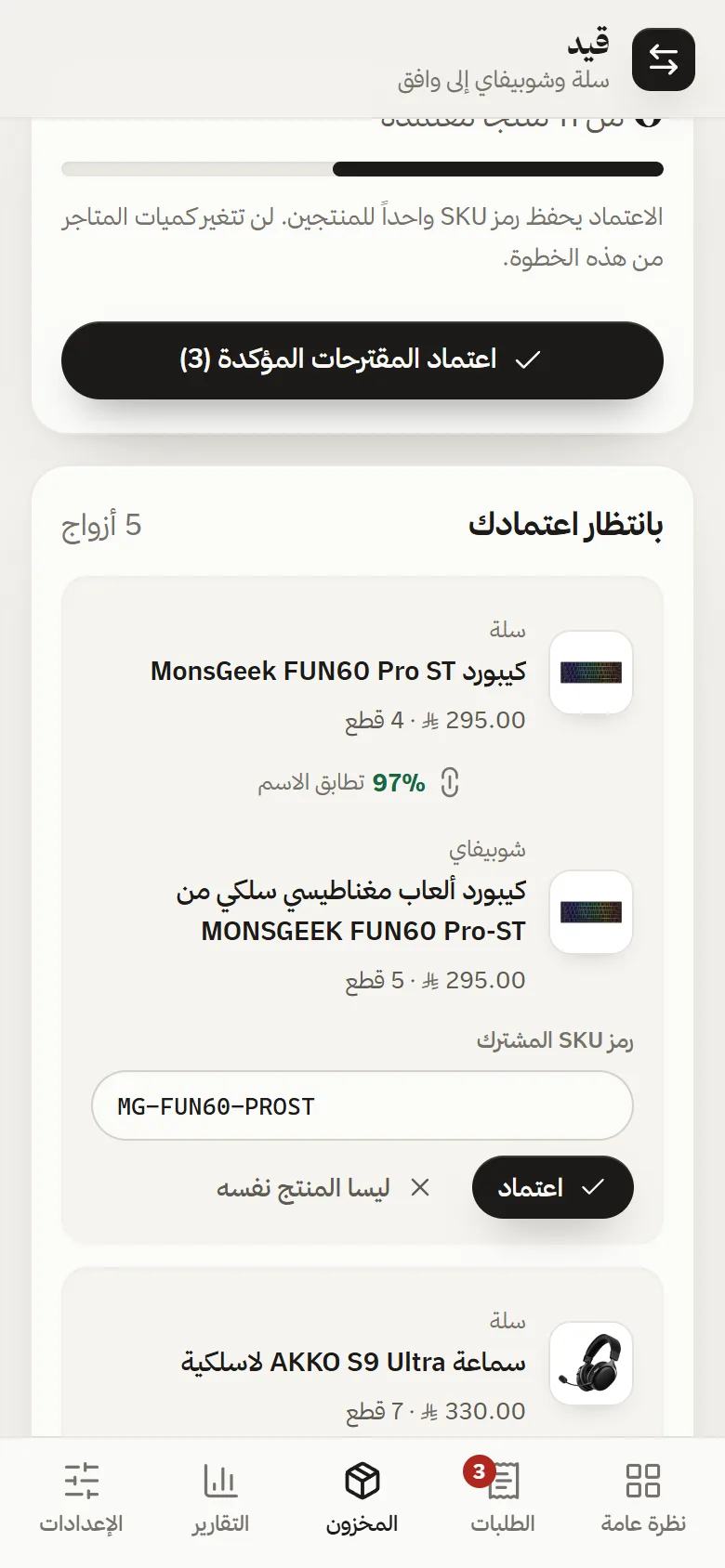
Match the products before syncing the stock.
Both stores sell from one stock, so each product needs one shared SKU. The matching screen proposes pairs by name and the owner approves each one. No quantity changes until a match is approved.
Any period, as an Excel file for the accountant.
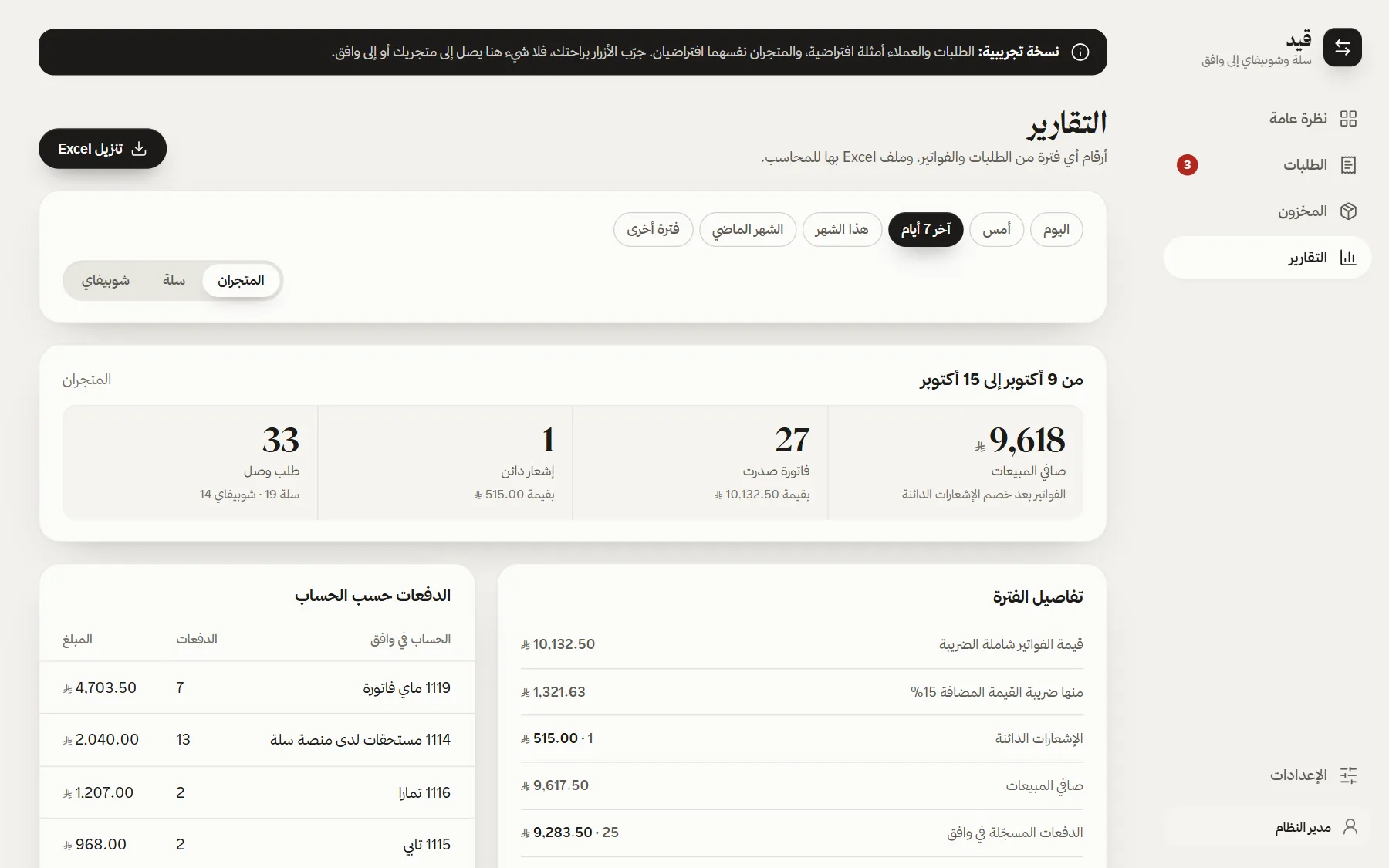
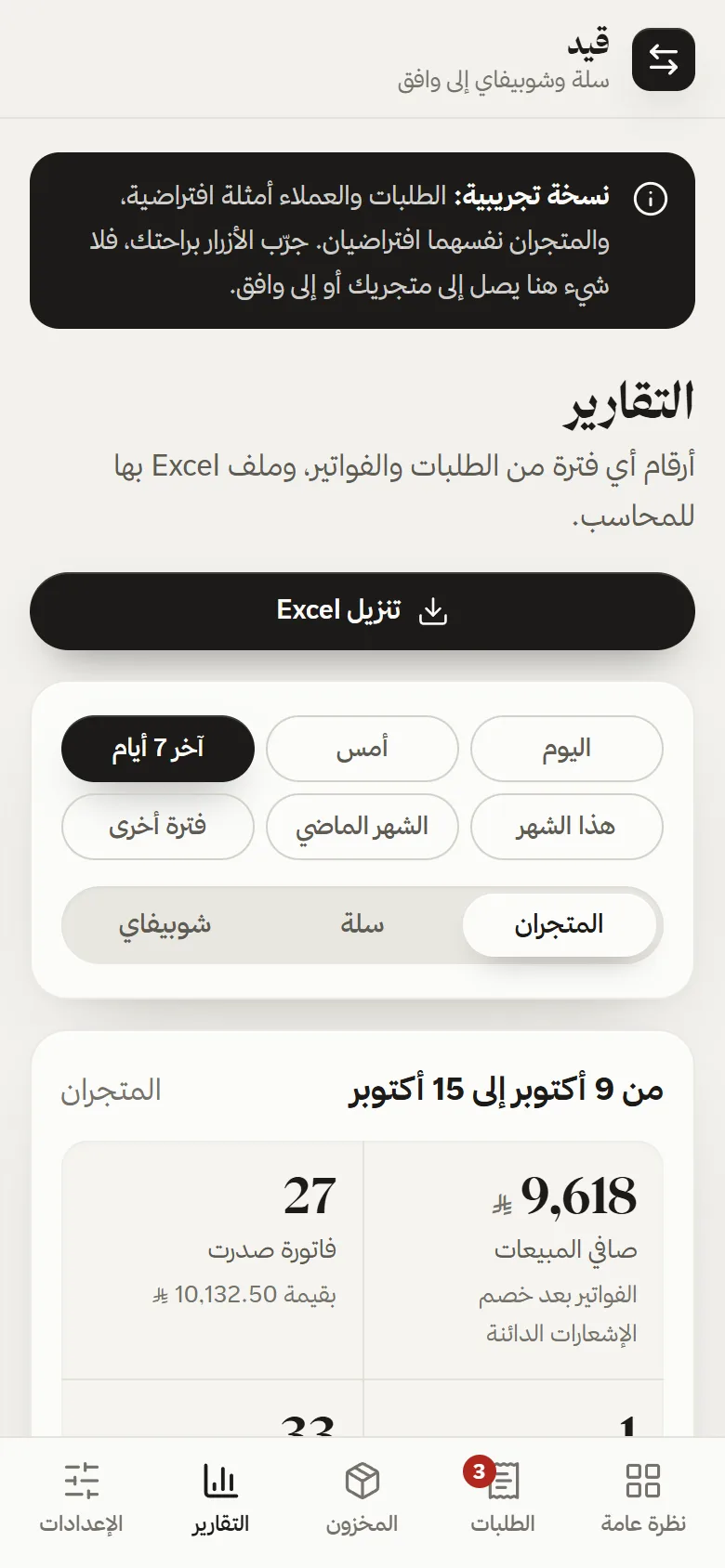
Net sales, VAT, credit notes and payments by account, for any period up to a year and for either store. The Excel files are built in the browser, which keeps the Worker inside the free plan’s CPU limit.
What was verified
- 226 automated tests on local data, with every outside request mocked
- The invoicing rules behind it run in production as Zapier code steps I wrote, issuing invoices, payments and credit notes in Wafeq for both stores
- The demo runs the real panel and API on sample data, with no keys and no outside requests
Honest scope
- The client chose to keep the simpler Zapier setup, so this Worker never went live; it only ran in shadow mode beside it
- Store names, customers and orders in the demo are fictional, and the client is not named
- Shared-stock sync waits on matching SKUs and has not run on real stock
- No time or cost savings have been measured
What does your team retype every day?
Orders into accounting, leads into a CRM, stock between stores. Tell me which copy-and-paste job you want gone.